Salesforce Fiscal Year Adjustment Process#
This document provides a detailed walkthrough on how to adjust the fiscal year settings in Salesforce. This feature allows teams to customize their fiscal year start date according to regional requirements. Follow these steps to make the necessary changes to your Salesforce account.
Step 1#
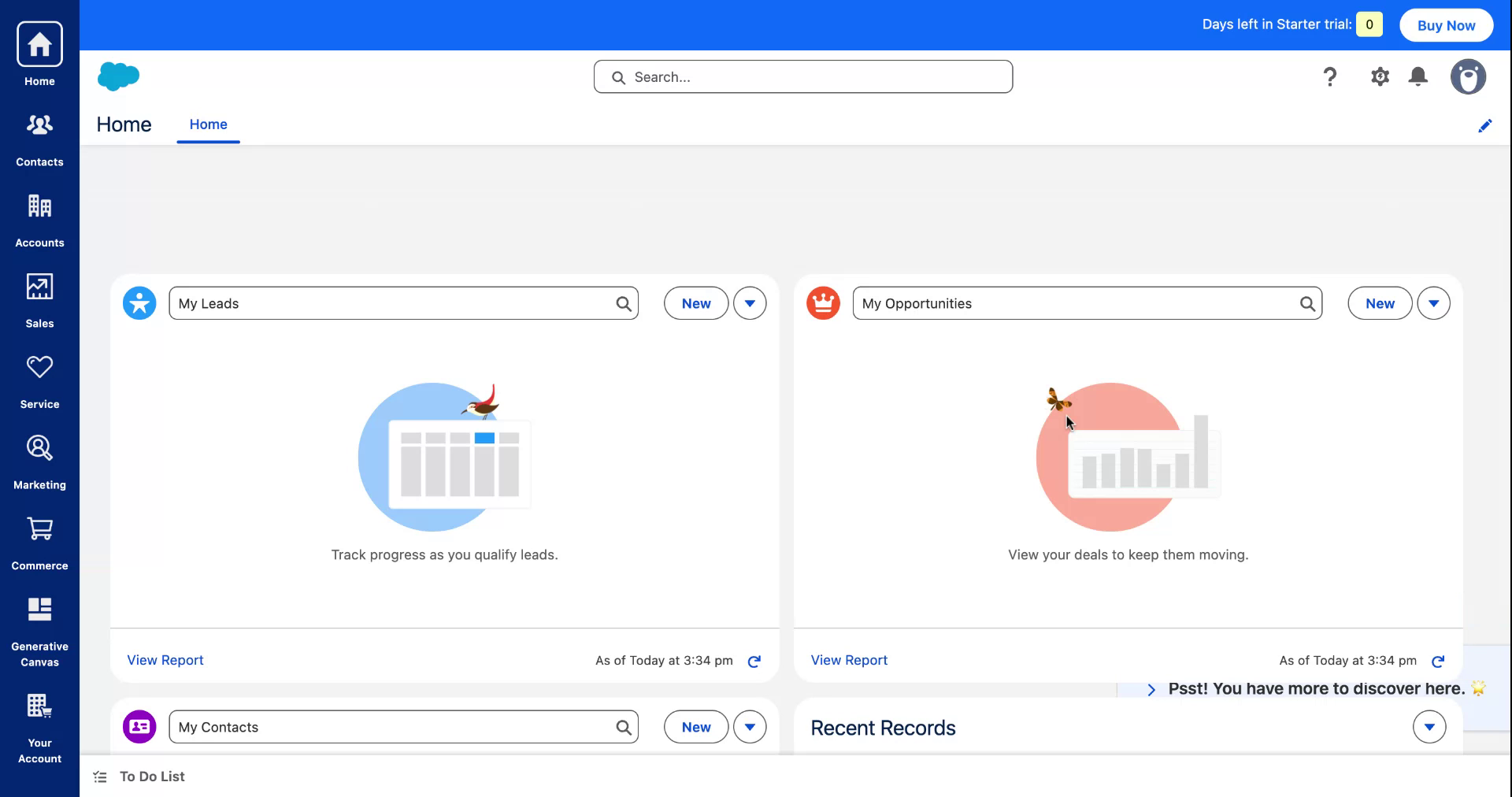
Access the Salesforce Settings by navigating to the 'Settings' option to initiate the fiscal year change process.
Step 2#
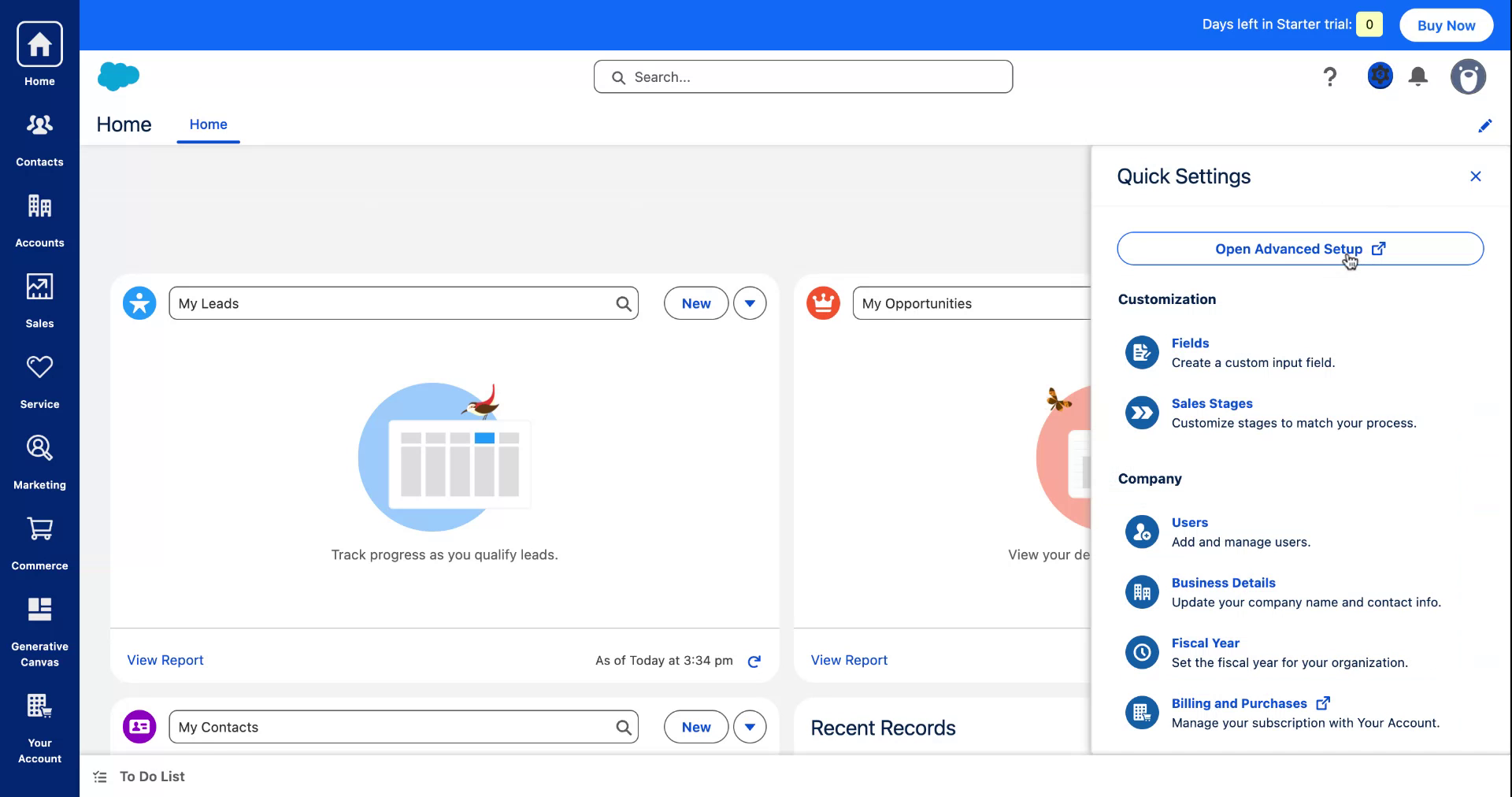
In the newly opened section, select the 'Fiscal Year' option to proceed.
Step 3#
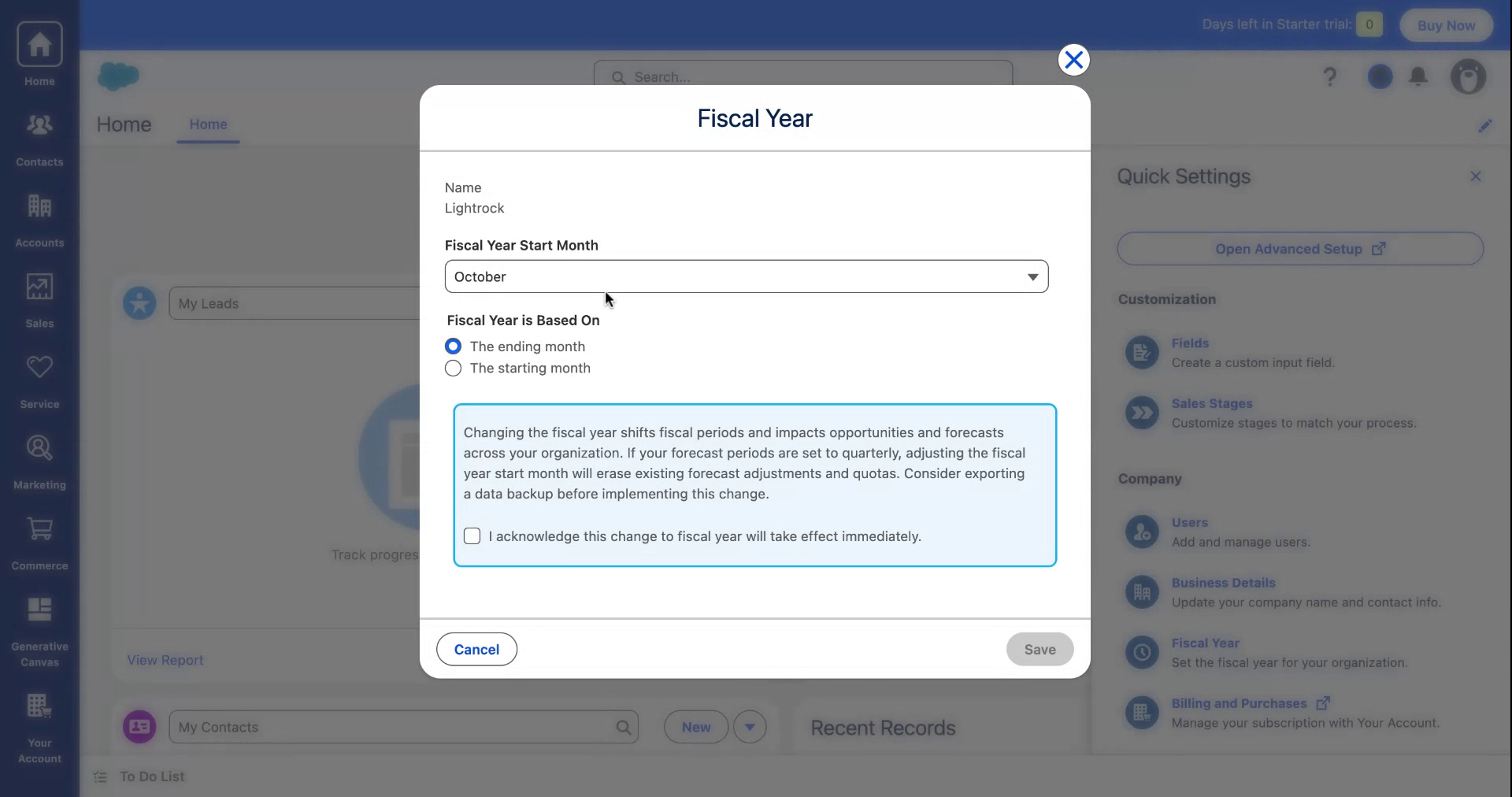
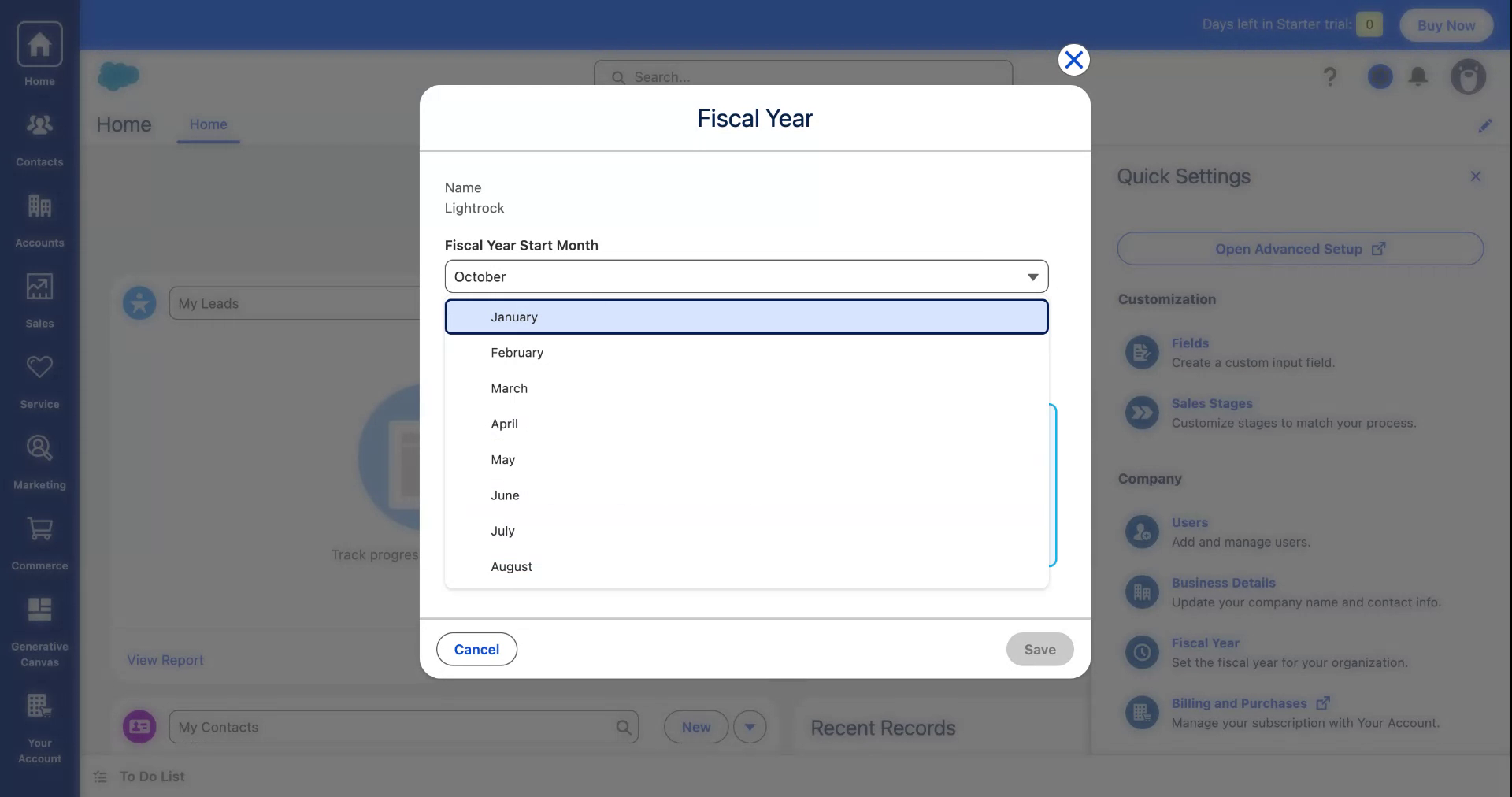
Observe the current fiscal year starting in October. Prepare to modify it as required.
Step 4#
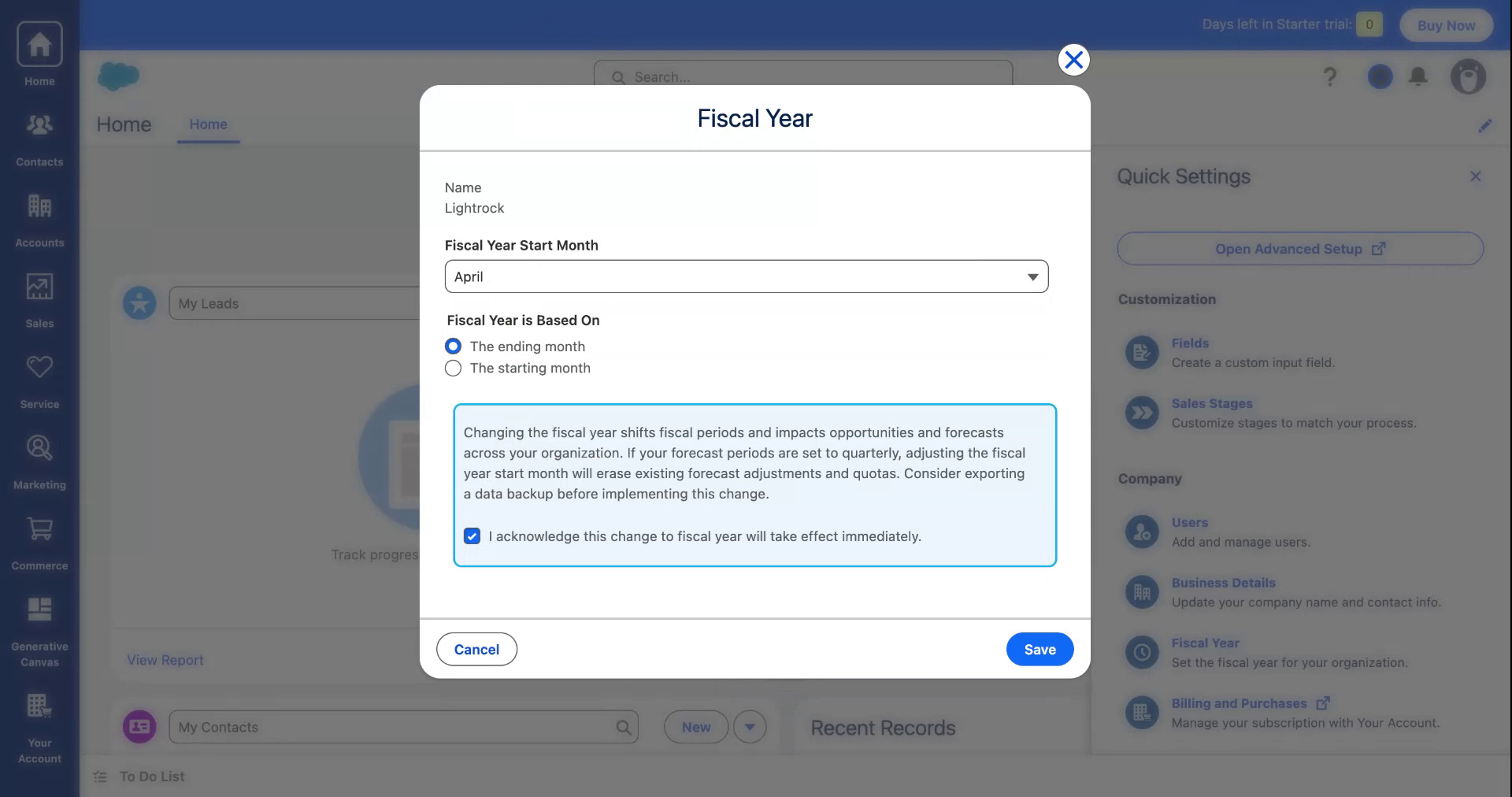
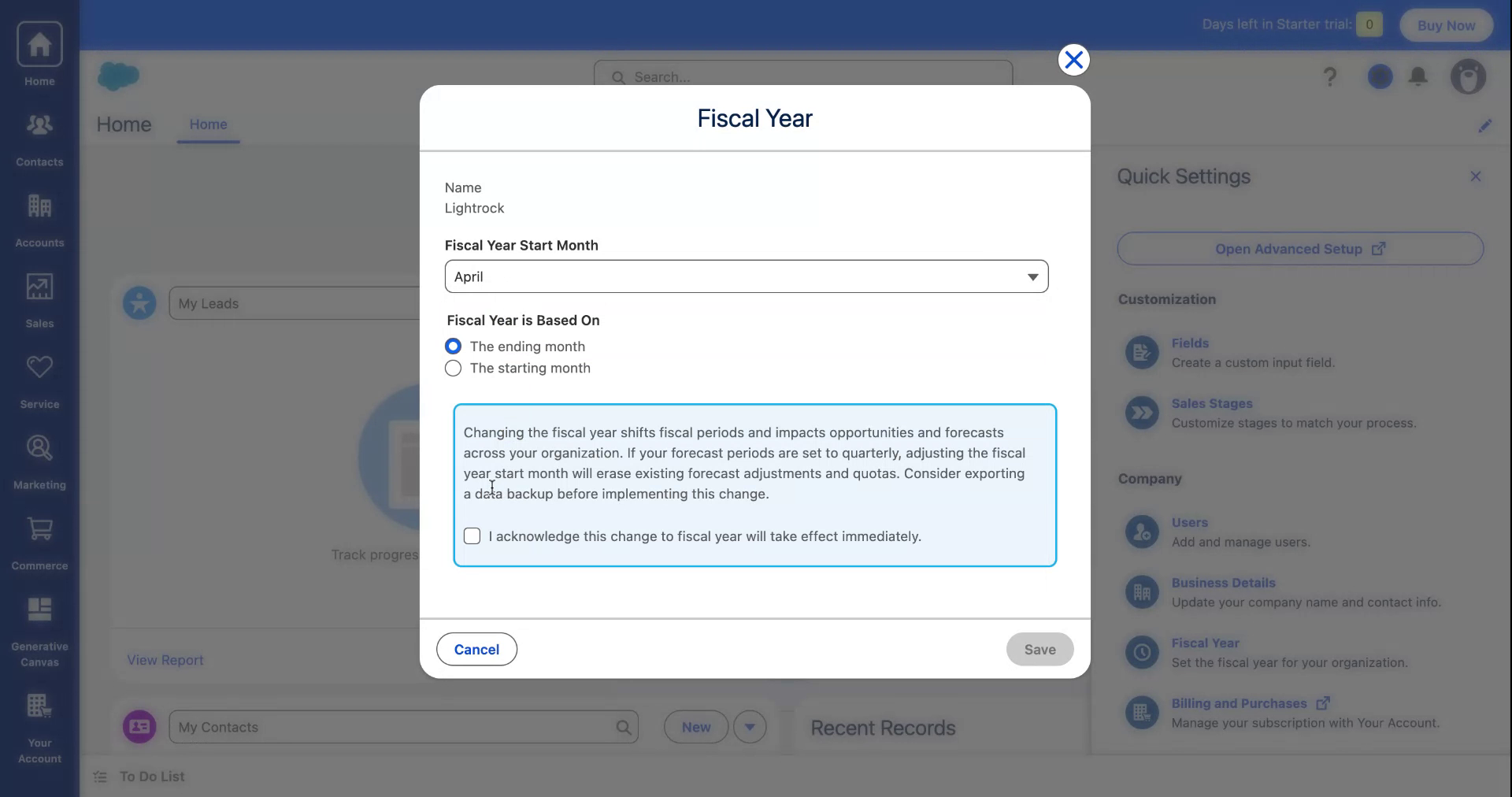
Select 'April' as the new start month for the fiscal year to align it with the Indian subcontinent requirements.
Step 5#
Confirm and acknowledge the change to apply the new settings.
Step 6#
Going forward, the fiscal year will commence in April across the entire platform. Thank you for following the process.