Configuring the Fiscal Year in Settings#
This process outlines the steps to update the start of the fiscal year within the settings. The procedure involves navigating through specific options to make necessary changes to the fiscal year's starting month.
Step 1#
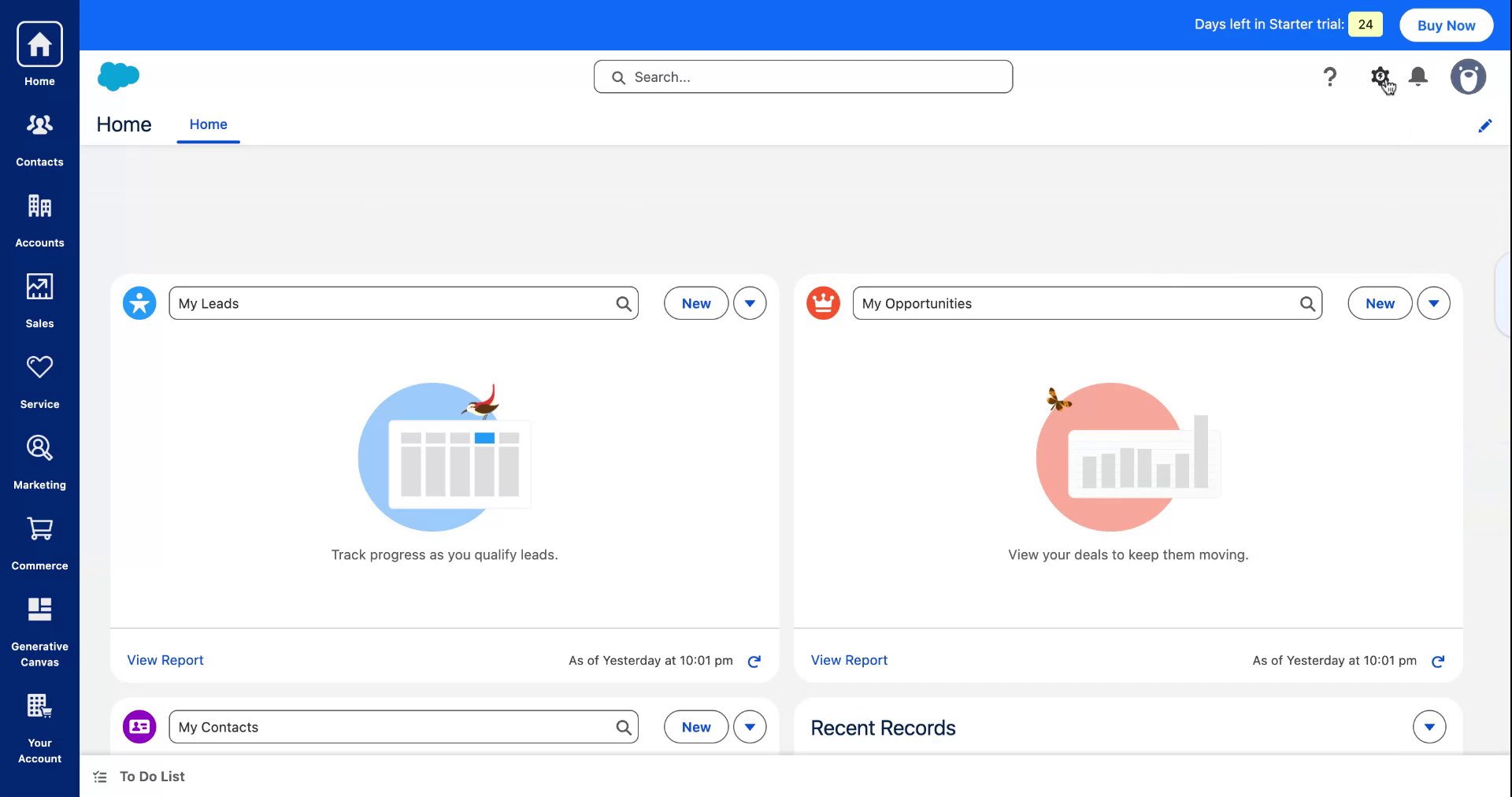
Begin by accessing the settings option within your application.
Step 2#
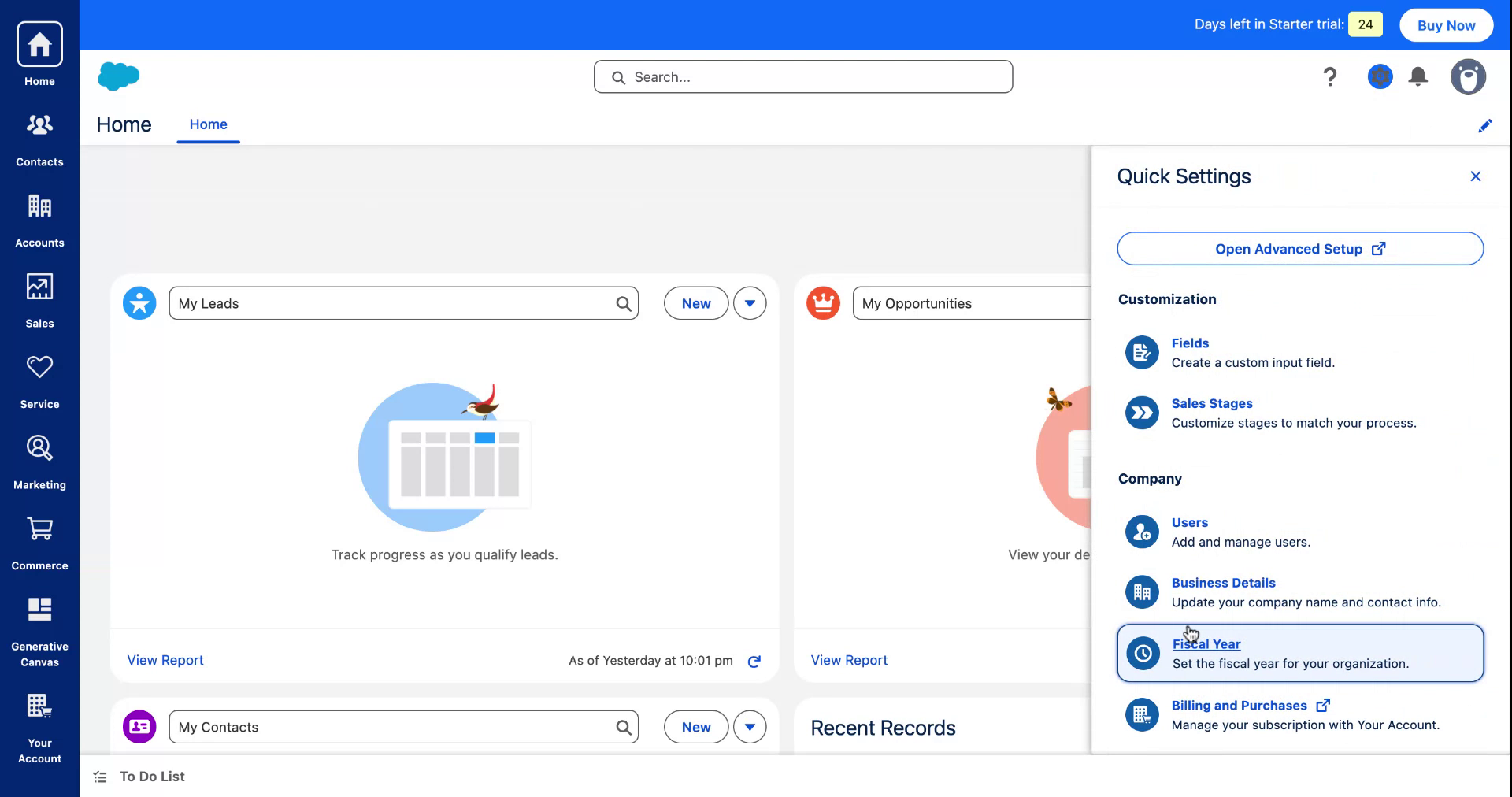
Next, select the fiscal year option from the available settings.
Step 3#
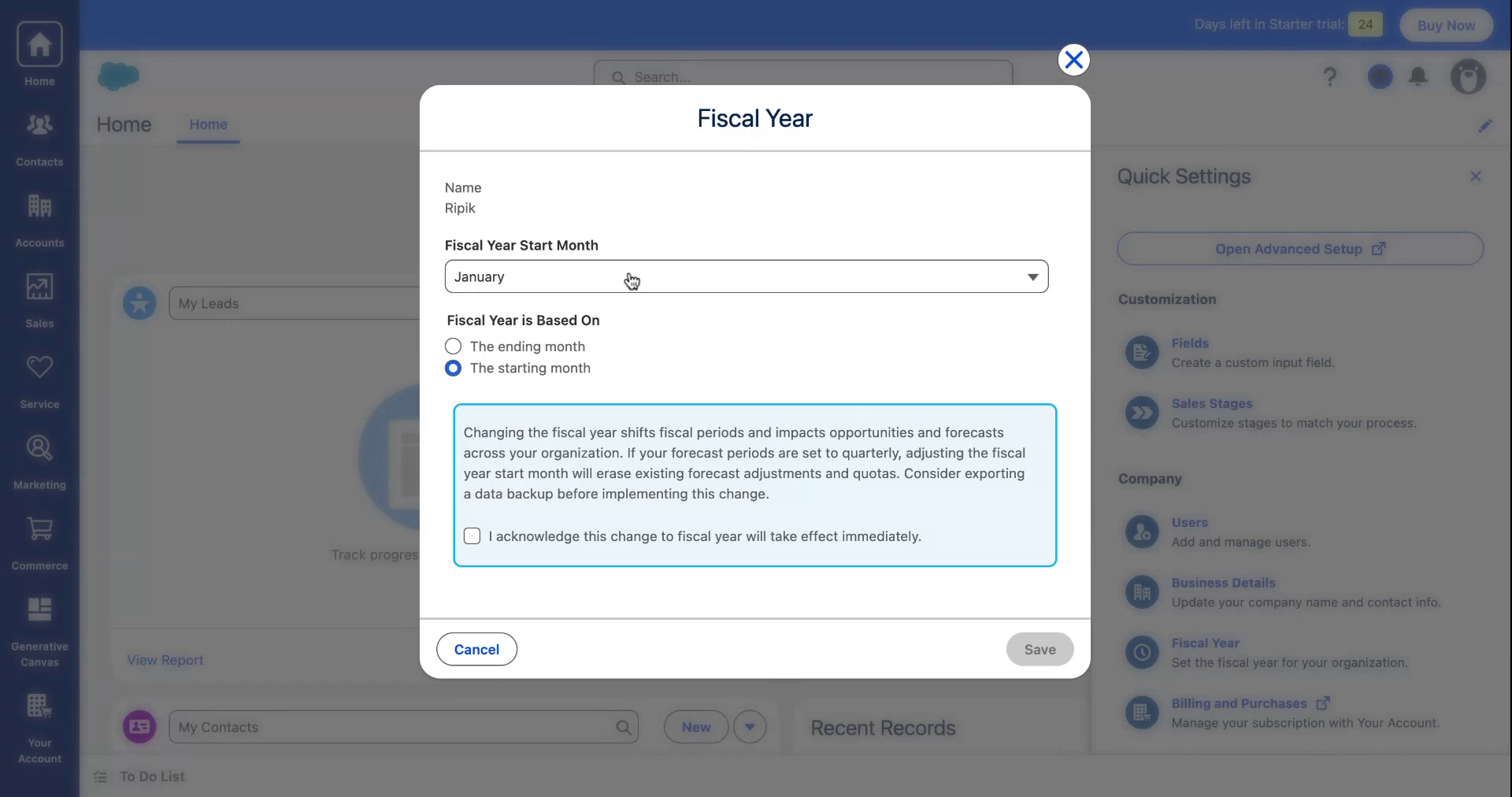
You will see that the fiscal year currently begins in January. Prepare to modify this setting.
Step 4#
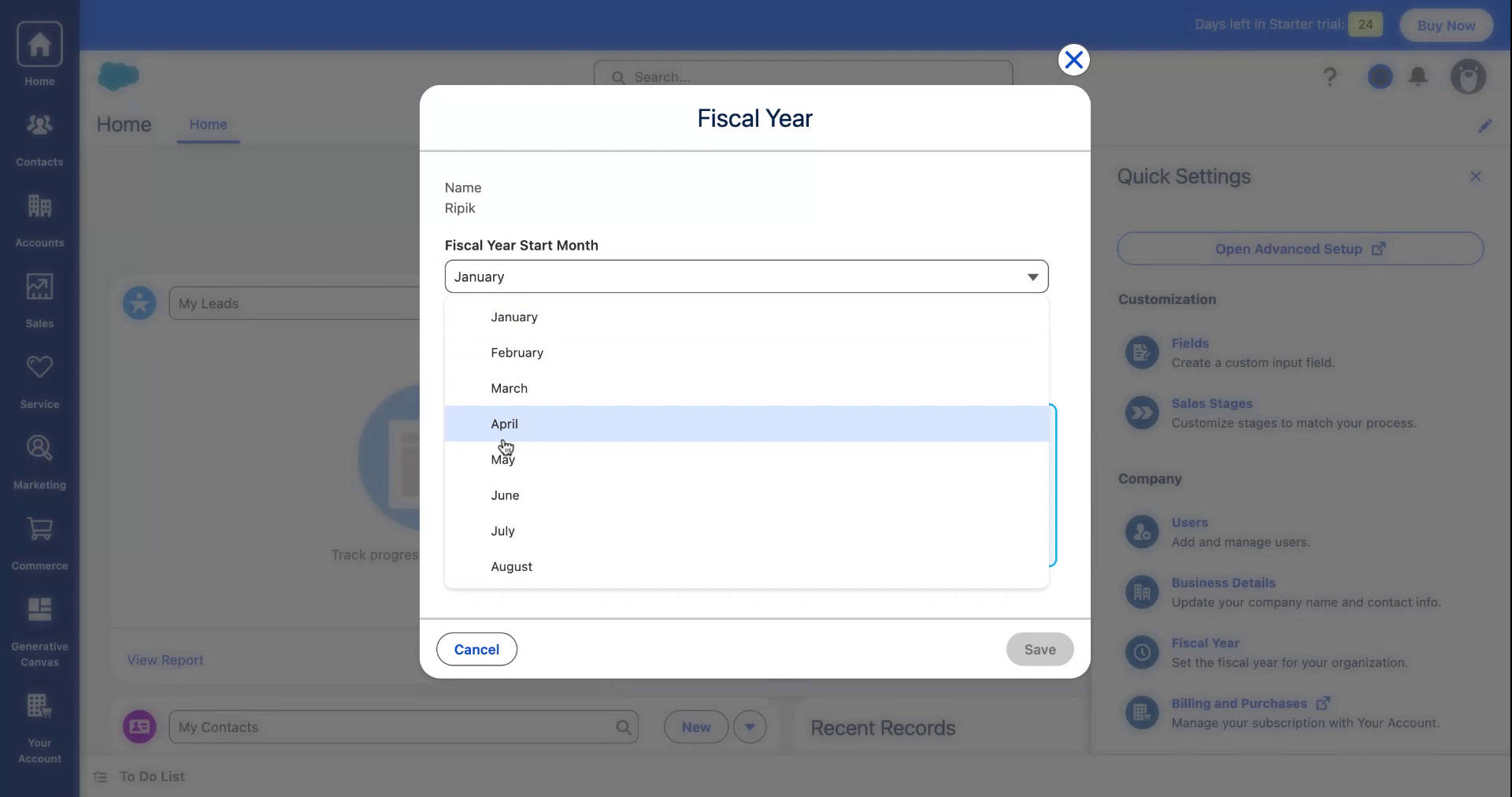
Adjust the starting month to your preferred choice.