Configuring Salesforce Fiscal Year Settings#
This document provides a detailed process on how to change the fiscal year settings in Salesforce. This feature is useful for organizations that need to adjust the starting month of their fiscal year to align with specific financial or regional requirements.
Step 1#
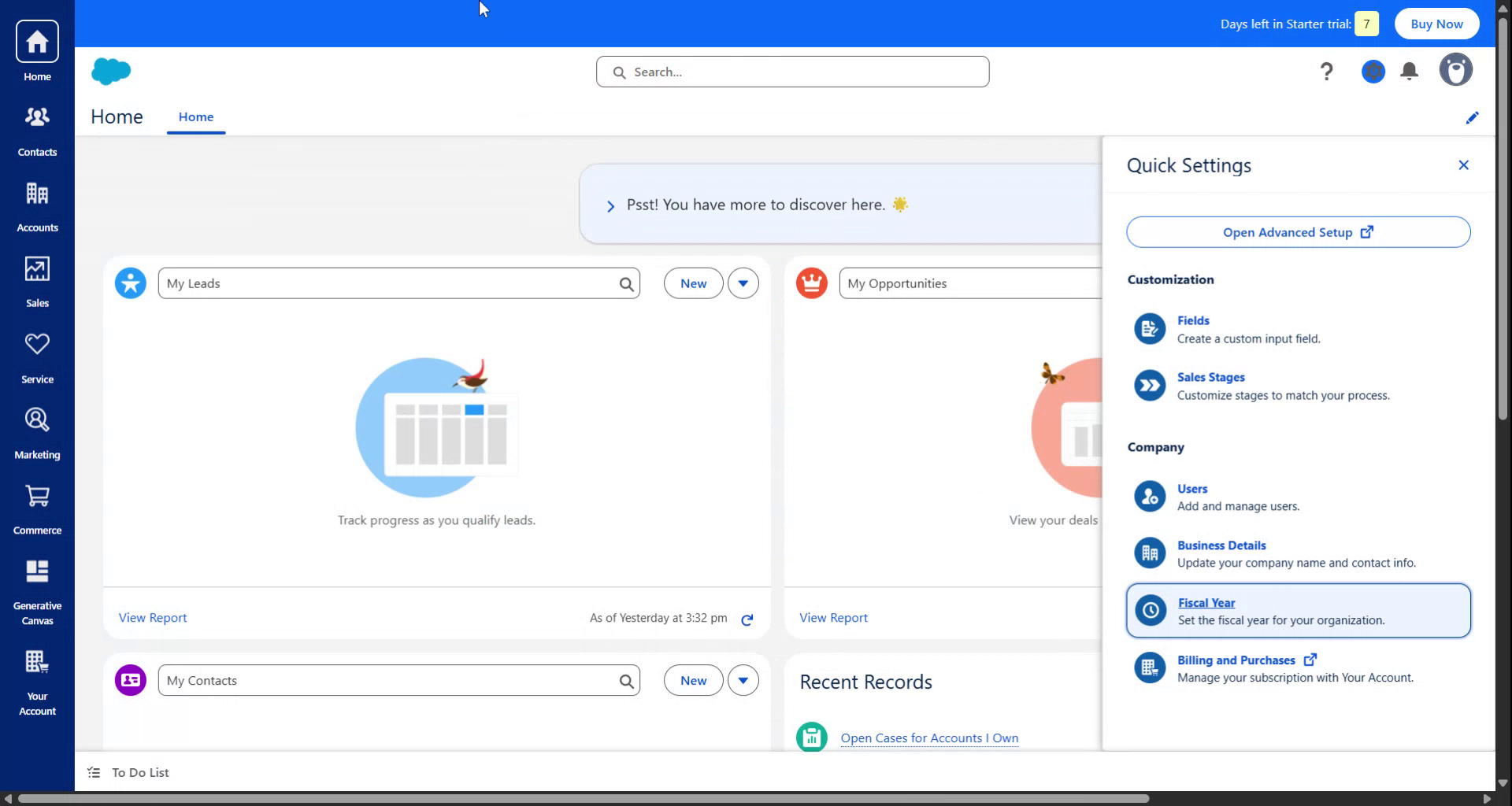
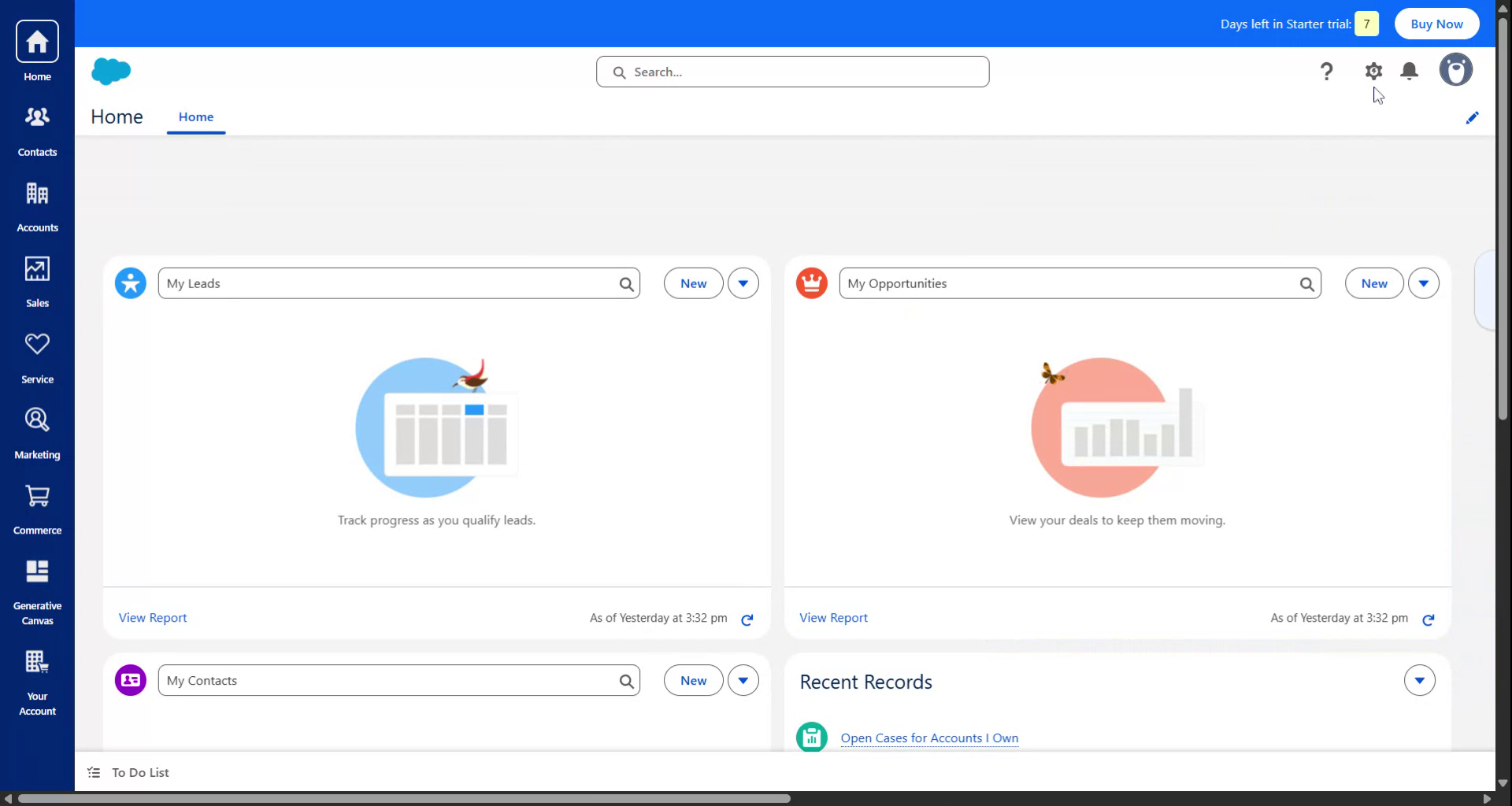
To begin configuring the fiscal year settings in Salesforce, first navigate to the Settings. Once in Settings, click on Fiscal Year.
Step 2#
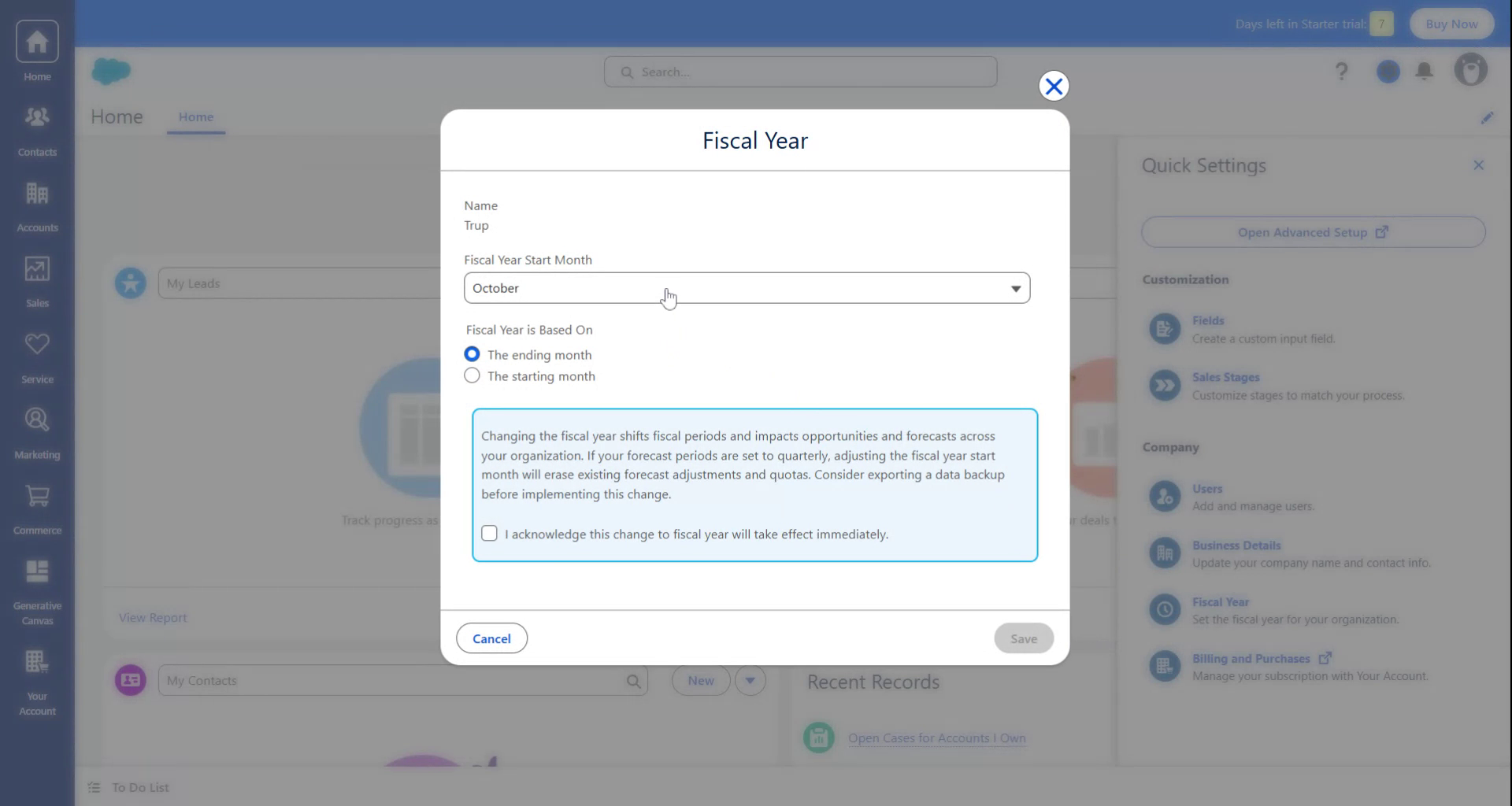
A pop-up will appear prompting you to select the starting month of the fiscal year. For instance, if you are in India, set this to April. After selecting the month, click on Acknowledge, and then click on Save.
Step 3#
Upon completion, the fiscal year for the entire platform will commence from the month you selected, such as April. Thank you for using this guide.