Salesforce Fiscal Year Adjustment Process#
This document outlines the process of adjusting the fiscal year setting in Salesforce. By following these steps, users can customize their Salesforce platform to align with their specific financial calendar requirements.
Step 1#
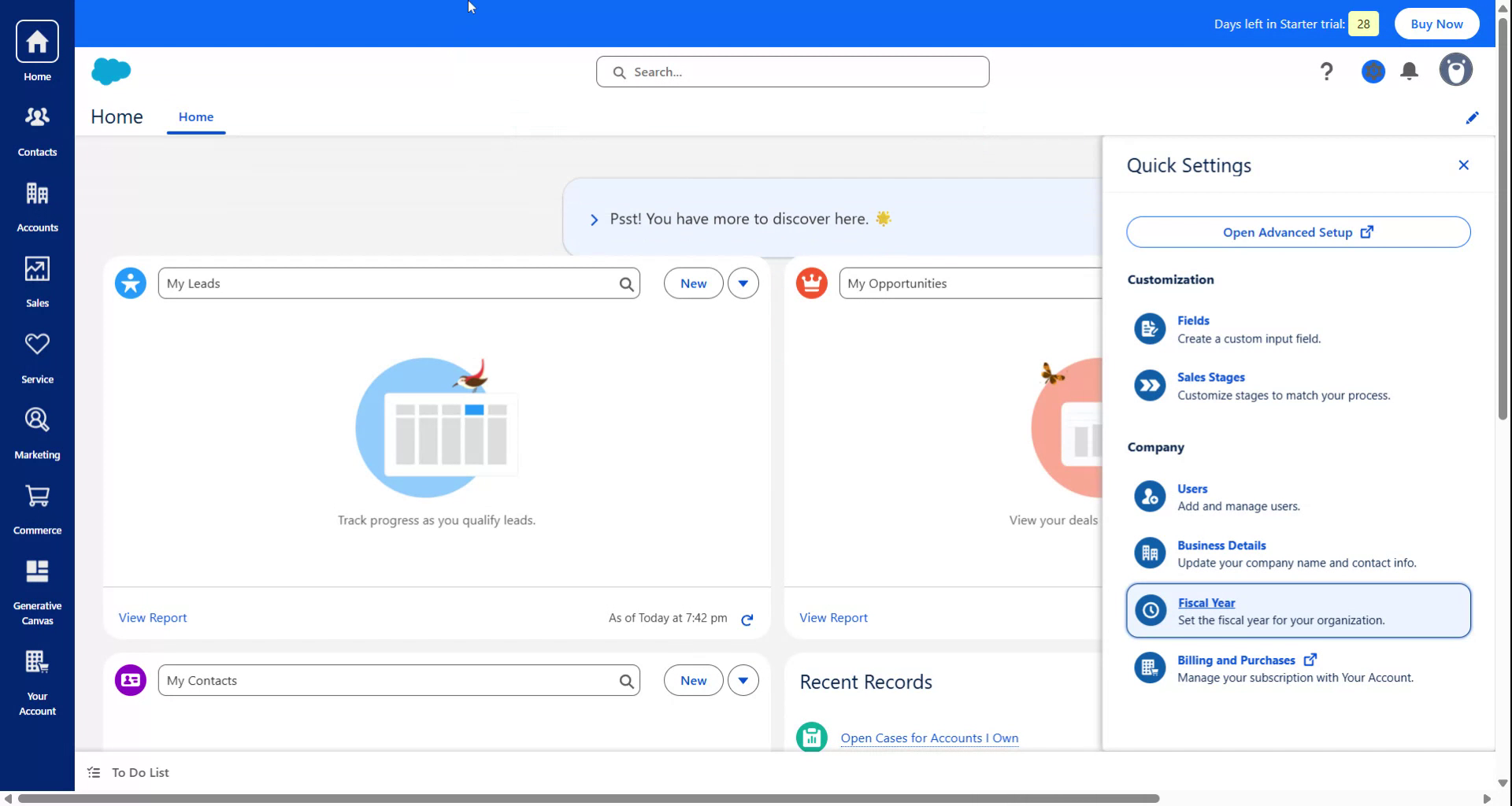
Begin by navigating to the Salesforce Settings. From there, select "Fiscal Year." A pop-up window will appear, allowing you to modify the starting month for the fiscal year.
Step 2#
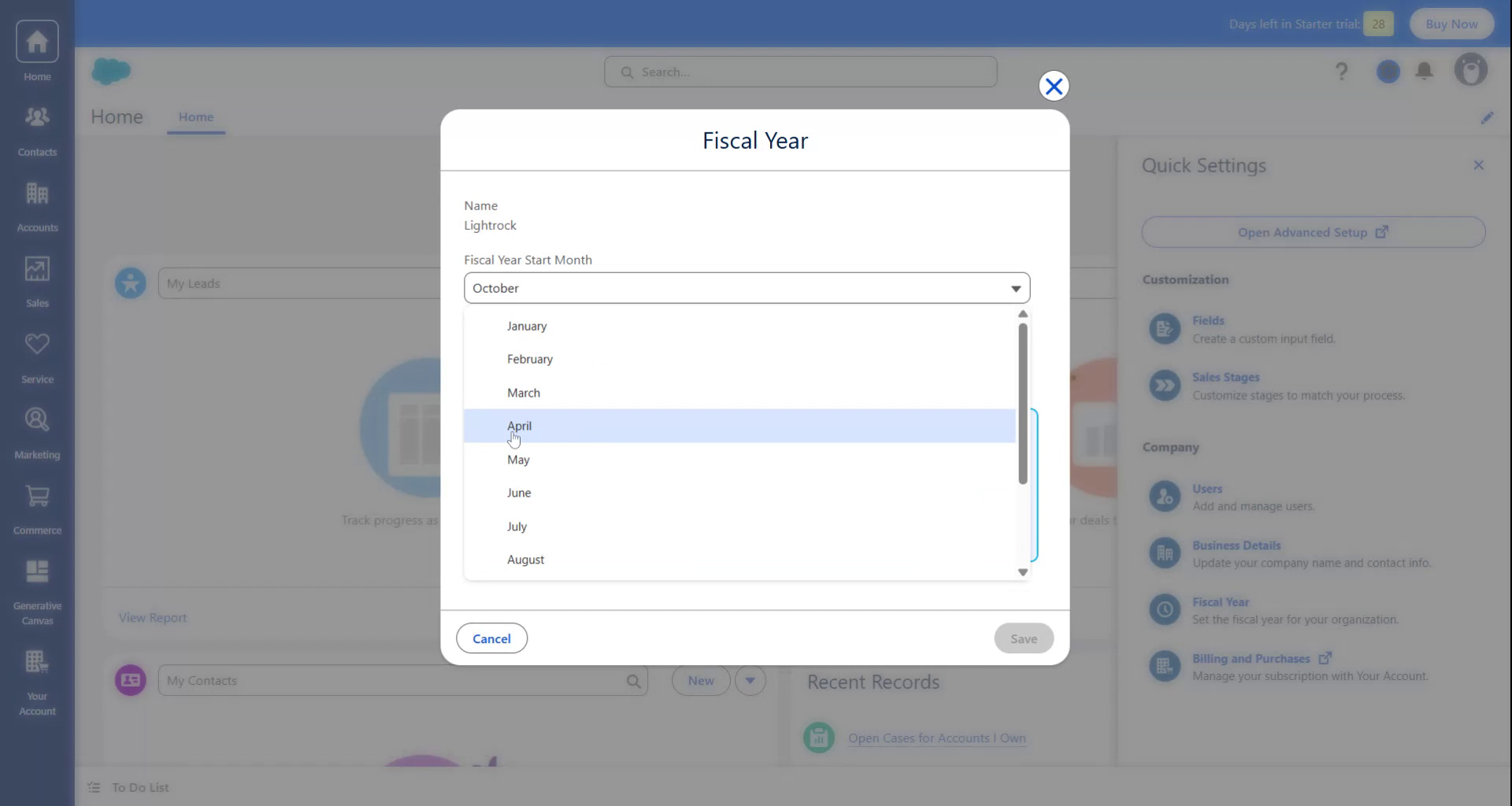
Since this process is being demonstrated for users in India, set the fiscal year start month to April. Click "Acknowledge" and then select "Save" to apply the changes.
Step 3#
The fiscal year on the Salesforce platform is now configured to start from April. Thank you for following the instructions.